
My database was wiped out by a bad server setting. Digging through forums, I kept running into the same two files, .frm and .ibd, so here is the simplest way I found to bring many tables back at once.
A .frm file stores an InnoDB table’s structure, while the matching .ibd file holds the raw table data. The .ibd can’t be read as a database on its own, so the structure has to be rebuilt first, then the data imported into it.
The method below leans on a short Python script and mysqlfrm, a tool from the MySQL Utilities archive. Because it loops over the folder, it rebuilds every table in one pass.
What you’ll need
- The
.frmand.ibdfiles. On my CentOS 7 server they lived under/var/lib/mysql/<database>. - A working folder to copy them into, e.g.
C:\Users\ilham\Documents\<database>. - The mysqlfrm tool from the MySQL Utilities archive.
- A local MySQL server, installed and running (I used Laragon).
Step 1 · Export each table structure
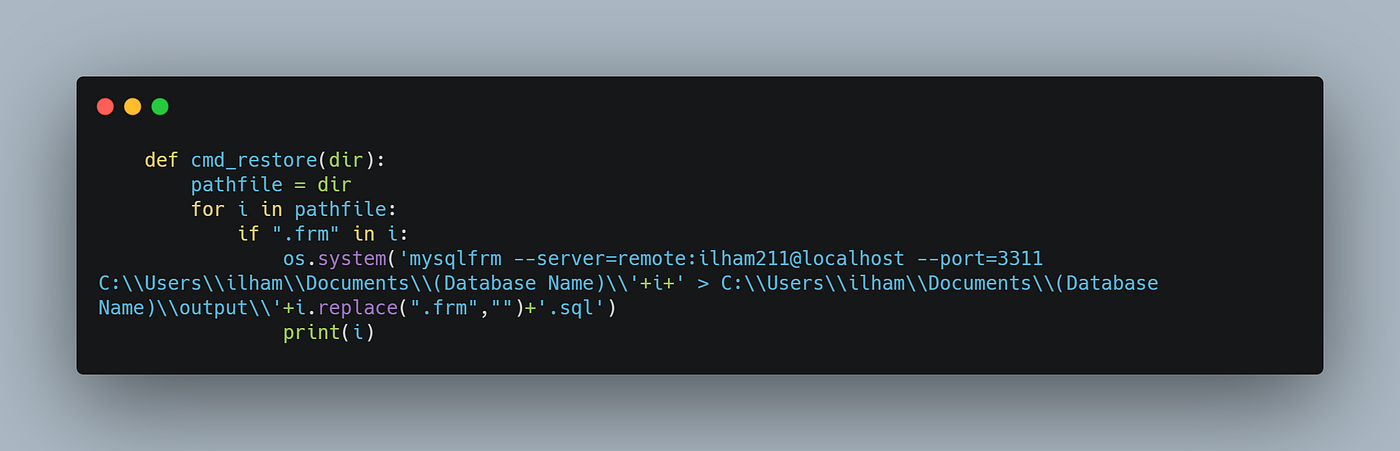
Loop over every .frm in the folder and run mysqlfrm against your local server, writing the output to one .sql file per table.
Step 2 · Clean up the output
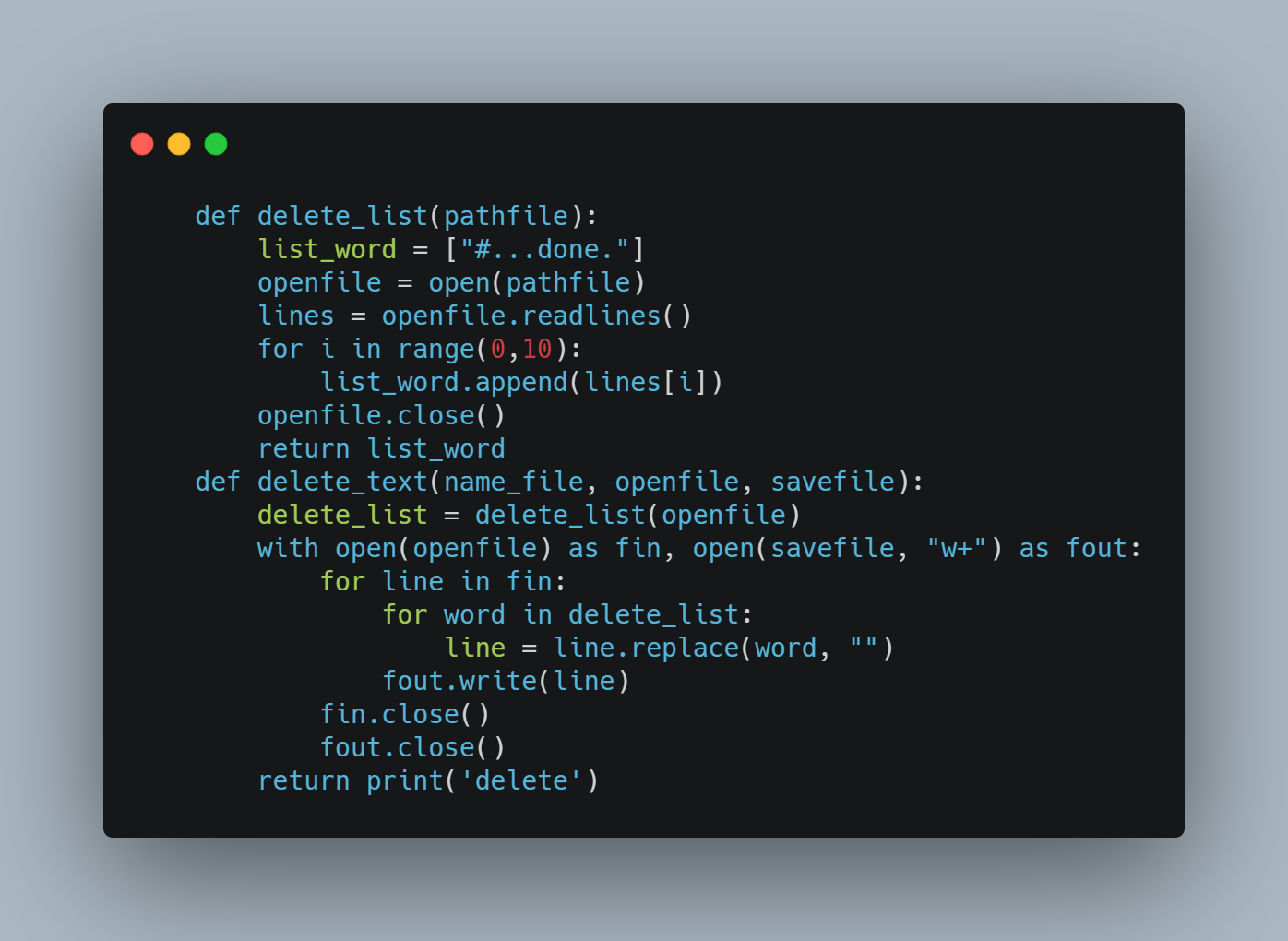
mysqlfrm wraps the CREATE TABLE statement in extra log text, so the raw .sql won’t run as-is. Strip those lines so each file holds a single, valid query.
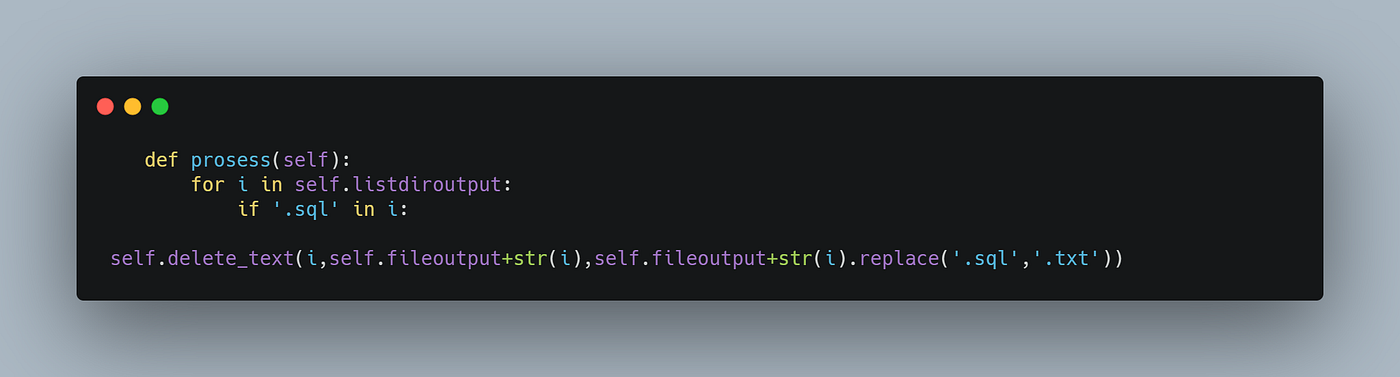
Then run the cleaner across the whole output folder.
Step 3 · Recreate the tables
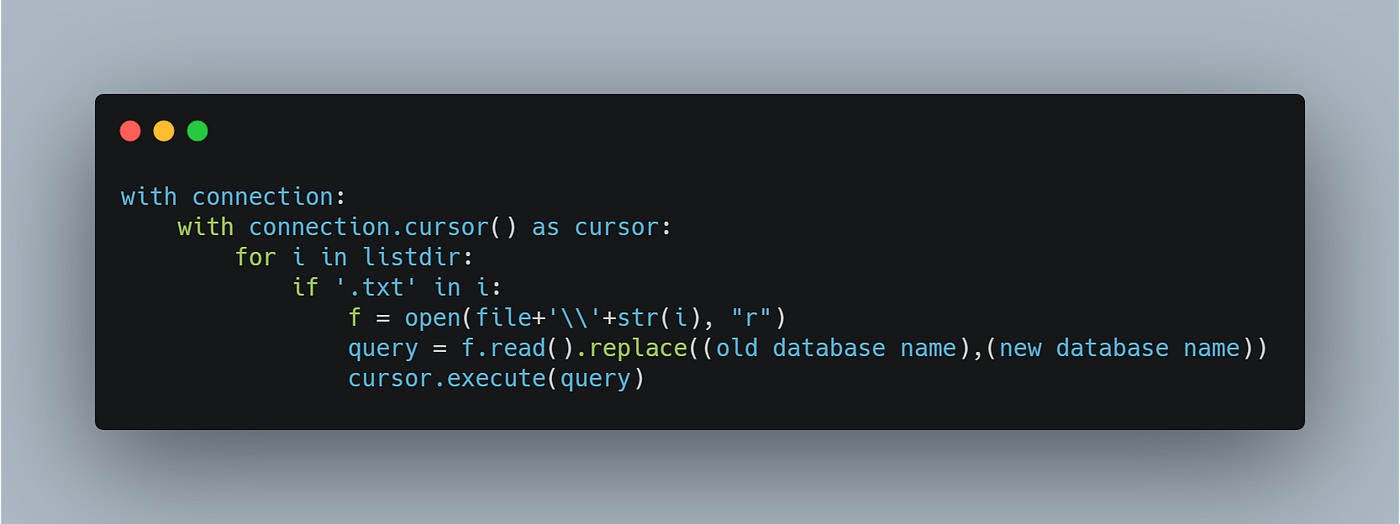
With the structures cleaned up, connect to a fresh database and execute each query. I used pymysql, swapping the old database name for the new one as each file is read.
Step 4 · Import the data
The tables exist now, but they’re empty. Copy the original .ibd files into the new database folder (with Laragon mine sit at C:\laragon\data\mysql\<database>), then import each tablespace:
ALTER TABLE `table_name` IMPORT TABLESPACE;Run it the same way you ran the structure queries. Once every tablespace is imported, the database is back, with structure and data intact.
The full script lives on GitHub and I keep it updated. This walkthrough was originally published on Medium. Grab the code with the buttons below.